
You need macOS 13.5 or newer. Apple menu → About This Mac shows an Apple chip or an Intel processor. From download, choose …-mac-arm64.zip for Apple silicon or …-mac-x64.zip for Intel.
- Open the zip and drag Κάρτα Εργασίας into Applications. Do not run it from Downloads.
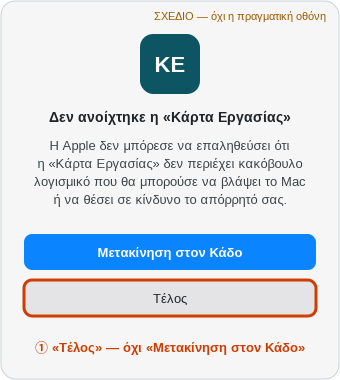
- Open it from Applications. If macOS cannot verify the developer, select Done.
- System Settings → Privacy & Security → Open Anyway beside Work Card. Enter the Mac password and select Open.
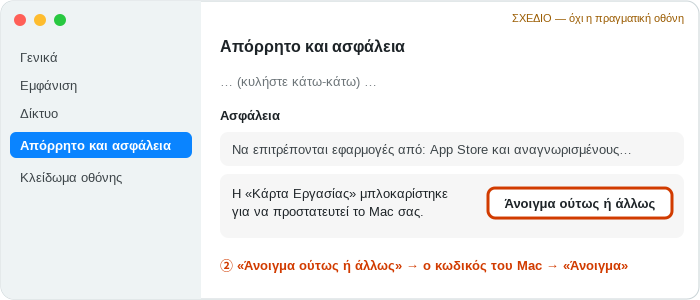
The Mac pictures illustrate the steps; they are not screenshots. The project has no Apple Developer ID. Updates are checked separately against the project’s key.
- Setup opens in the browser (
http://127.0.0.1:8881). Continue with users, PINs and devices. - If the firewall asks about incoming connections for node, allow them so practice phones can reach the page.
The application starts at each user sign-in. Keep the computer awake while staff need to stamp.